How to detect competitor trials: when a rival changes its free trial, and what it means
· 10 min read · by the Competite team
How to detect competitor trials is mostly a question of where to look: a rival prints the terms of its free trial on two pages, and changes them without telling anyone. A trial is the cheapest thing a company can change and one of the most telling, because the days, the card and the limits show who it wants and how hard selling has become. This guide covers what to record, four ways to detect a change, how to tell a test from a decision, what each change usually means, and what to do when the trial being used is yours.
What should you record about a competitor’s free trial?
Six terms, each quoted from the page with the day you read it: the kind of offer, its length, whether a card is asked for, what the trial withholds, what happens when it ends, and where all of that is printed. Without a first record there is nothing to compare a later reading with, so no change can be detected.
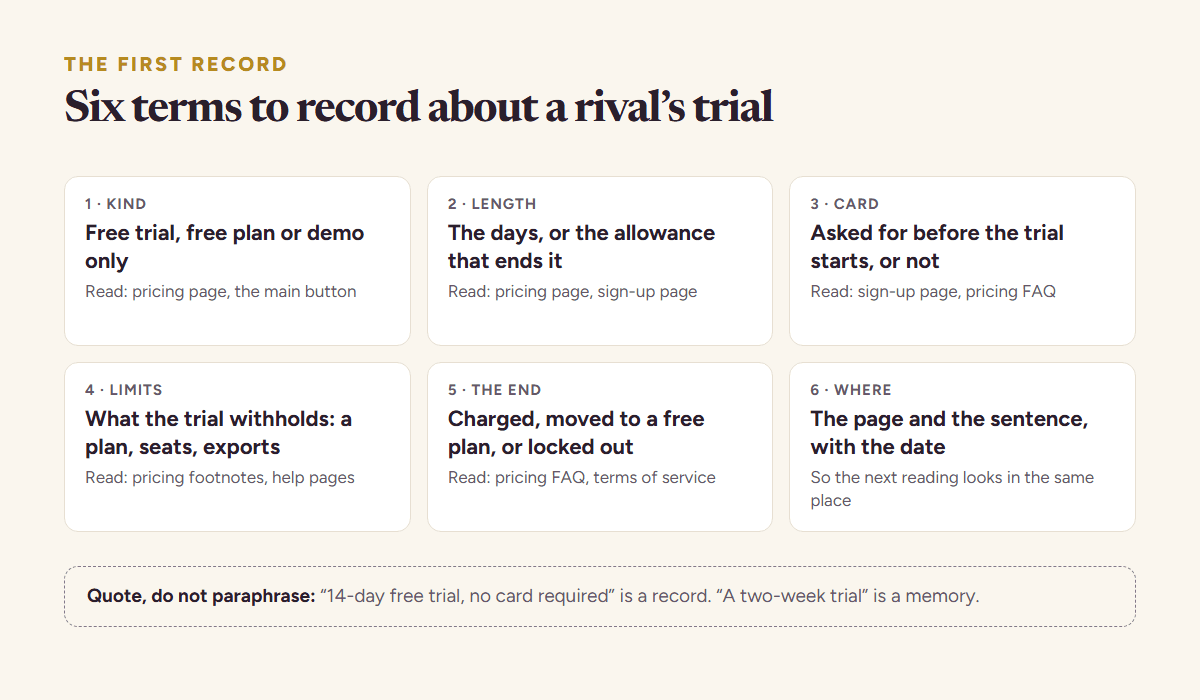
| Term | What to write down | Where it is printed |
|---|---|---|
| 1. Kind | a free trial, a permanent free plan, or a demo only | pricing page, the main button |
| 2. Length | the number of days, or the allowance that ends the trial | pricing page, sign-up page |
| 3. Card | whether a card is asked for before the trial starts | sign-up page, pricing FAQ |
| 4. Limits | what the trial withholds: a plan, seats, exports | pricing footnotes, help pages |
| 5. The end | charged, moved to a free plan, or locked out | pricing FAQ, terms of service |
| 6. Where | the page and the sentence, for the next reading | your own notes |
Quote each term; do not paraphrase. “14-day free trial, no card required” is a record, and “they have a two-week trial” is a memory. The first row matters most: a free trial ends and a free plan does not, which is a different bet, as how to price a SaaS product explains from the inside. Competitor pricing analysis covers everything else a pricing page says.
How to detect competitor trials and the changes to them: four ways
Competitor free trial monitoring comes down to four ways of looking, and the first is enough for most teams: re-read the pricing and sign-up pages each week, set a page-change watcher on the same two pages, use archived copies to date a change you missed, and read the changelog, FAQ and help pages, where a change is often explained.
- Read the two pages every week. The pricing page prints the terms, and the first screen of the sign-up page shows whether a card is asked for. Keep last week’s wording beside this week’s and a change of one number is hard to miss.
- Set a page-change watcher on them. A watcher reports every change on the page you point it at, which suits a line as short as a trial offer. How to track competitor website changes covers how to keep the noise out, and competitor monitoring tools compares the named ones and what they cost.
- Use archived copies to date a change you missed. The Wayback Machine keeps dated copies of many public pages. Where a pricing page was captured, the copies either side of the change tell you roughly when it happened. It is a history to look back at, not an alert.
- Read the changelog, the FAQ and the help pages. A company that shortens its trial usually explains it somewhere: a pricing FAQ, a help article on billing, a line in the release notes. The explanation often says which plans it applies to and whether people already in a trial keep their terms.
Is it a pricing experiment or a decision?
A test is shown to some visitors and a decision is shown to all of them. If the trial terms differ between two visits on the same day, you are probably looking at an experiment. If the pricing page, the sign-up page, the FAQ and the help pages all state the same new terms, the company has decided.
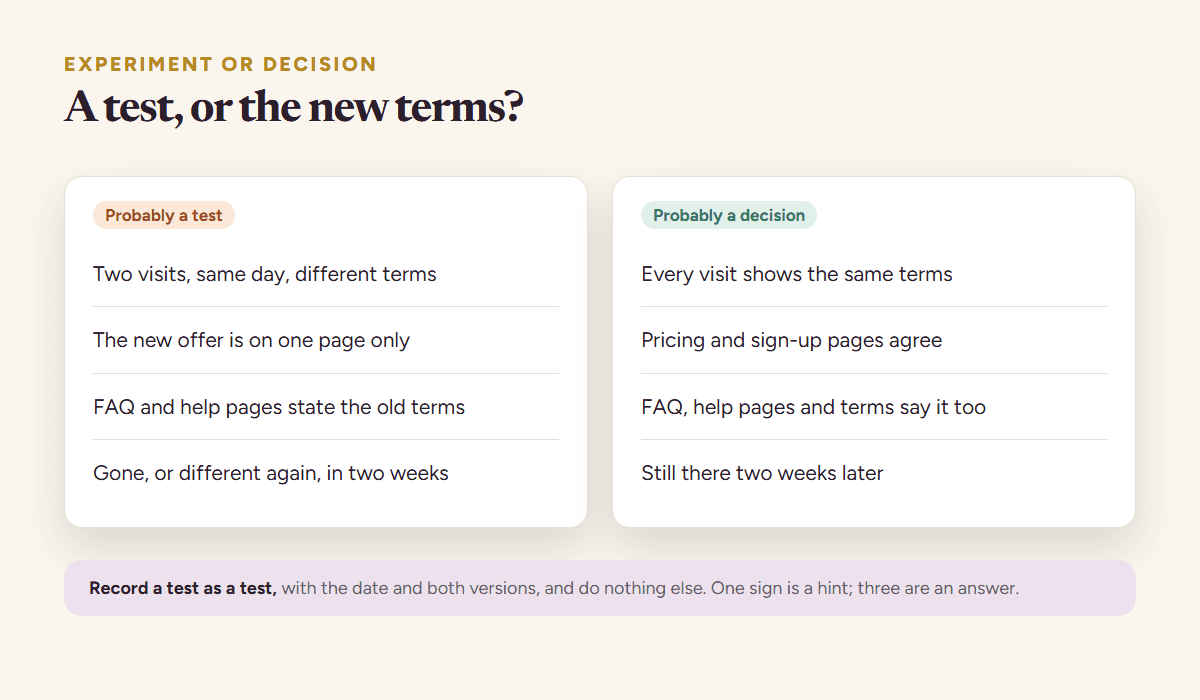
A trial offer is an easy place for competitor pricing experiments, because a trial length or a card field can be changed for some visitors without touching a price. Three checks separate a test from a decision.
- Load the page twice. Once in your usual browser and once in a private window, on the same day. Two offers at one address mean the page is choosing what to show.
- Compare the pages that should agree. A test usually touches one page. A decision soon reaches the FAQ, the help pages and the terms as well.
- Read it again in two weeks. Tests end. Terms still there a fortnight later, on every visit, are the terms.
Record a test as a test, with the date and both versions, and do nothing else. It is still information: a company testing a shorter trial is asking whether its trials are too long, which tells you what it is worried about before the answer changes anything for you.
What does a change to a competitor’s trial usually mean?
Usually that the company is adjusting who gets in and how many of them pay. A shorter trial or a card at sign-up trades volume for intent. A longer trial, a removed card or a new free plan trades revenue now for reach. Each is a reading, not a fact, until the price or the plans move with it.
| The change | Likely reason | What to do |
|---|---|---|
| A shorter trial, or a card now required | too many trials that never paid | nothing yet; watch whether their price moves next |
| A longer trial, or the card removed | sign-ups have slowed, or a rival is easier to start with | check whether your trial is now the harder one to start |
| A free plan added beside the trial | reach before revenue | say on your page what paying buys |
| The free plan removed or capped | free users cost more than they brought in | decide whether you want the users it leaves behind |
| The trial replaced by “book a demo” | a move towards larger customers and a sales team | say on your pricing page that a buyer can start without a call |
| Tighter limits inside the trial | the trial gave away what people pay for | note which feature moved; they think it is worth money |
Two changes in the same month say more than either does alone: a shorter trial after a price cut reads as a company that wants paying customers now, not sign-ups. Competitor price tracking covers the week a price moves. Treat the middle column as a first guess, and where a rival publishes no prices at all, how to find competitor pricing covers where else to read them.
A worked example: one trial change, read in ten minutes
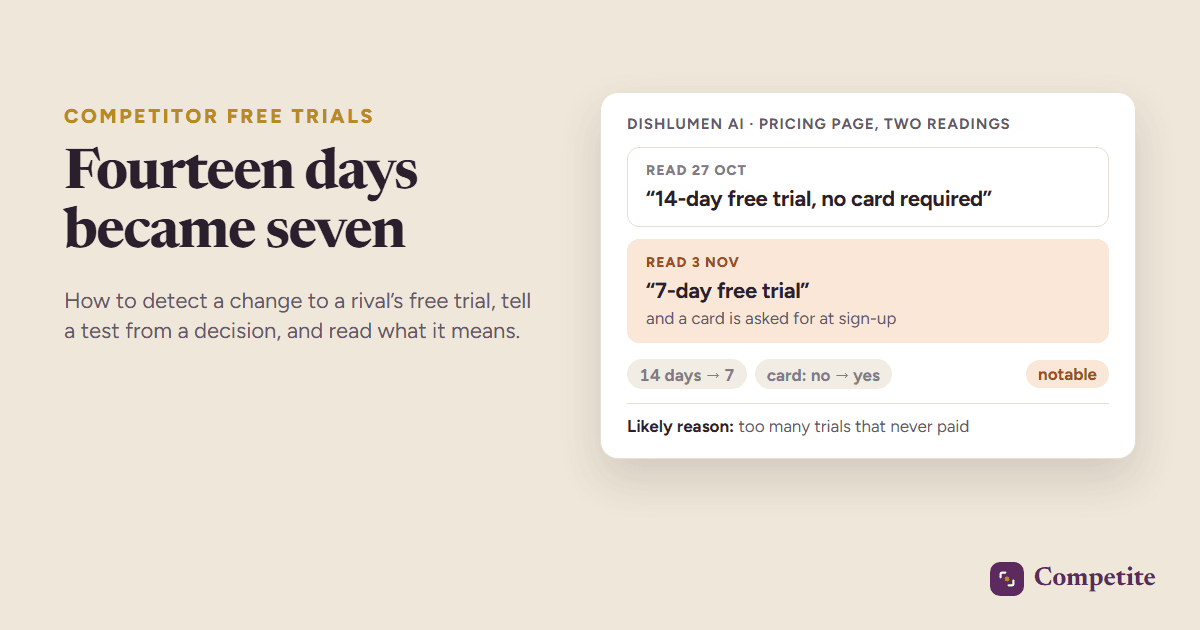
Dishlumen AI is a fictional rival of the fictional Forkvane, which turns a phone photo of a dish into a menu photo. Until 3 November 2026 its pricing page said “14-day free trial, no card required”. Since 3 November it says “7-day free trial”, and the sign-up page asks for a card. Two terms moved in one week.
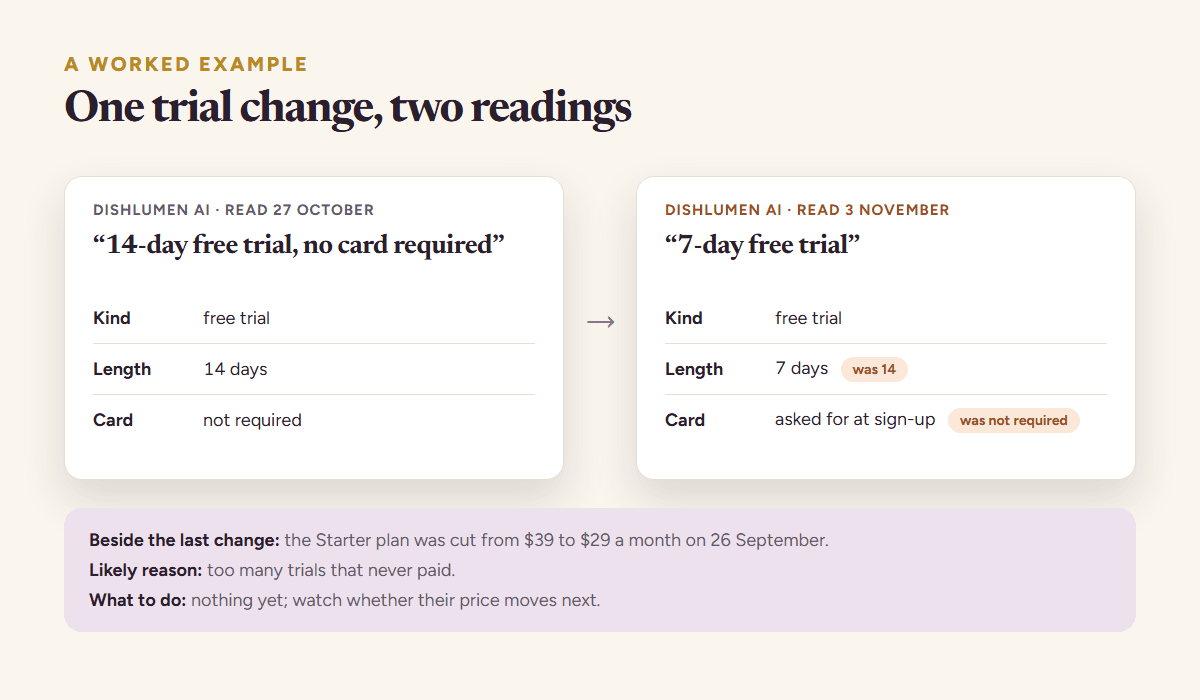
- Quote both readings. Read 27 October: “14-day free trial, no card required”. Read 3 November: “7-day free trial”. The words about the card were gone, which was the prompt to open the sign-up page, where a card field had appeared.
- Check that it is not a test. The same terms show in a private window, and the pricing FAQ says seven days as well. It is a decision.
- Read it beside the last change. On 26 September Dishlumen cut its Starter plan from $39 to $29 a month. A cheaper entry plan brings in more trials, and a shorter trial with a card filters them: the first row of the table.
- Decide what to do. Nothing to Forkvane’s own price or terms. The change goes into the record with both quotes, and Dishlumen’s pricing page gets a closer read for four weeks, in case the price moves next.
The read took ten minutes because the first record existed. Without the quote from 27 October, the page of 3 November would have looked like any pricing page with a trial on it. If a restaurant later tells Forkvane that Dishlumen now wants a card up front, that goes into the record too: it is evidence that the harder start is sending buyers elsewhere.
What if a competitor signs up for your free trial?
Assume it has already happened. Anyone can start a self-serve trial, and a rival inside your product learns little that your pricing page, changelog and help pages do not already say. Notice it, decide once what a trial account may see, and write the rule into your terms instead of chasing each sign-up.
- The email domain. A sign-up from an address at a company on your competitor list is the plain case.
- The pattern of use. An account that opens every settings page in an afternoon, exports what it can, invites nobody and never returns is reading the product, not using it.
What to do is mostly not to react. Blocking a domain stops nobody, since the same person can return from a personal address. Read your own terms of service and decide whether they say who may use the product and for what. Keep anything you would mind a rival seeing out of the trial for everyone. And add the company to your own list: a rival that studies you has decided you matter.
The same rule in the other direction
Before you sign up for a rival’s product, read its terms of service: many restrict use for competitive purposes, and an account under a false name breaks more than the terms. Everything in this guide works from pages anyone can read without an account.
How often should you check a competitor’s trial terms?
Weekly for the pricing page and quarterly for the sign-up page, with the first record open beside you. The pricing page is where the terms are printed and where a change shows first. The sign-up page changes less often, and a look at what its first screen asks for is enough to catch a new card field.
That weekly read is one line in a larger habit. Competitor tracking covers the other signals worth the same attention, and competitive intelligence for startups sets out the weekly review they all fit into.
Competite does the weekly read. From the pricing page you confirm for each competitor, it records the trial terms printed there, the kind of offer, the number of days and whether a card is required, with the sentence they came from, and compares each reading with the last. A change to any of them, or a free plan appearing or disappearing, is recorded with what the page said before and after, and reaches you as an alert when it is judged notable. Pages are read weekly on the paid plans and monthly on the free one. It reads public pages only: it never signs up or logs in. Start free with one competitor.
Questions people ask
- How do you detect competitor trials and changes to them?
- Write down the trial terms each competitor prints today, quoted, with the date: the kind of offer, the days, whether a card is asked for, the limits and what happens at the end. Then re-read the pricing page weekly. A change is the difference between two dated readings, so the first record is what makes detection possible.
- What does it mean when a competitor shortens its free trial?
- The likeliest reading is that too many trials were ending without a payment, so the company is trading volume for buyers with more intent. A card added at sign-up says the same thing more strongly. Do nothing at first, and read their prices closely for the next few weeks.
- How can you tell a competitor pricing experiment from a permanent change?
- A test shows different terms to different visitors, so load the page twice on the same day, once in a private window. A test also tends to touch one page, while a decision reaches the FAQ, the help pages and the terms. Terms still shown on every visit two weeks later are the decision.
- Should you sign up for a competitor’s free trial?
- Read its terms of service first. Many restrict use of the service for competitive purposes, and signing up under a false name adds dishonesty to the breach. Most of what a trial shows about the offer, its length, the card, the limits and the steps to start, is printed on public pages, which need no account at all.
- Does this guide cover clinical trials?
- No. It covers software free trials: the terms a competing product offers before a buyer pays. Clinical trials run by a competing sponsor are a different subject, and they are listed in public registries such as ClinicalTrials.gov, where each record names the sponsor and gives the phase and status of the study.
See it on your own competitors
Add your product, or just describe the idea. Competite finds the competitors, reads their pages, and writes the comparison with a quote behind every claim. Free, in about three minutes, no card.
Keep reading
How to track competitor website changes without drowning in alerts
How to track competitor website changes: the six pages worth watching, four ways to do it, free or automatic, how to filter noise, and what to do next.
6 November 2026 · 11 min read
Competitor price tracking: what to do the week a competitor cuts a price
Competitor price tracking for founders: what to watch on a pricing page, how to track it by hand or automatically, and the four moves when they cut a price.
15 September 2026 · 8 min read
Competitor pricing analysis: how to read a pricing page like a buyer
Competitor pricing analysis in an afternoon: the eight things to read on a pricing page, how to compare plans that are not alike, and how to set your price.
15 September 2026 · 9 min read
How to find competitor pricing, even when the price is not on the page
How to find competitor pricing: nine sources ranked by how far to trust them, what “contact sales” tells you, and how to record a price you can use.
25 November 2026 · 10 min read
Competitor monitoring tools: ten compared by what each one watches and what it costs
Ten competitor monitoring tools compared: what each one watches, who it is for, and its entry price as read on the vendor’s own page on 25 November 2026.
25 November 2026 · 11 min read