Competitor price tracking: what to do the week a competitor cuts a price
, updated · 8 min read · by the Competite team
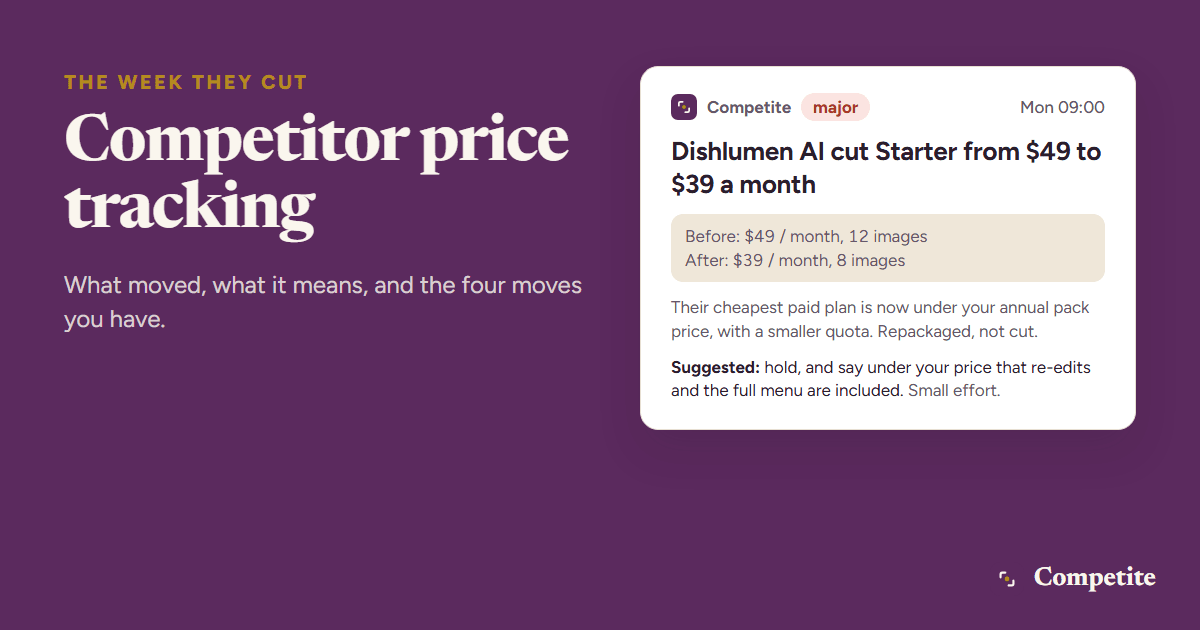
Competitor price tracking is re-reading a competitor’s pricing page on a schedule and recording what moved, so that the week they cut a price you decide on Monday instead of hearing about it from a customer in a month. This guide covers why prices move, what to watch on the page beyond the headline number, how to track it by hand and how to automate it, and the four moves you can make when a competitor cuts, with the questions that pick between them.
Why competitors change their prices
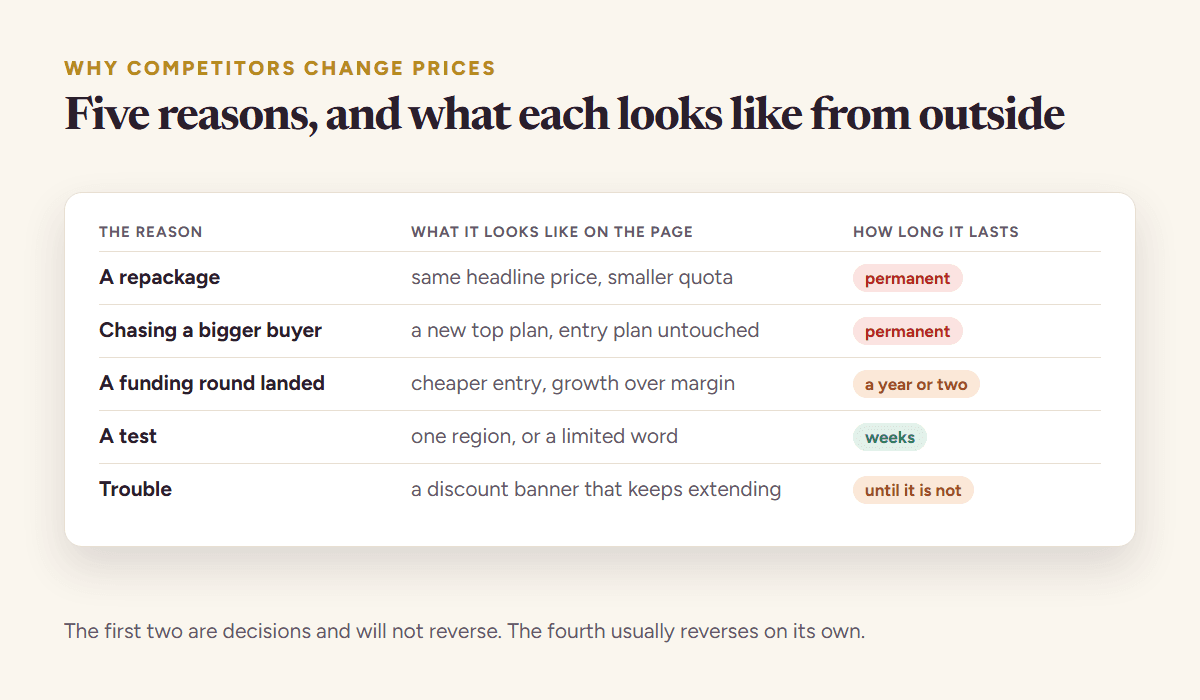
A price change is a decision someone made under pressure, and the pressure is the information. Before reacting to the number, ask what caused it. The usual causes leave traces on the same page or the pages around it.
| What you see | The usual cause | The trace to look for |
|---|---|---|
| Entry price cut | self-serve growth stalled, or a new competitor below them | a new free tier, a new “compare” page, a launch elsewhere |
| Entry price cut, quota cut too | a repackaging that looks like a cut | the allowance on the plan card, the overage line |
| Top plan raised | moving upmarket, or funding a sales team | new “Enterprise” copy, sales hires on the careers page |
| Feature moved up a tier | a quiet price rise | the features list on each plan, diffed |
| Promotion banner | a quarter-end push, or churn | an end date on the banner, a “limited” word |
| Public price replaced by “contact us” | sales-led pricing, higher deal sizes | a demo form where the plan card was |
Half of the changes that look like cuts are repackaging: the same money for less. That is why the tracking has to cover the whole plan card, not the number in large type.
What to watch on a competitor’s pricing page
Six things, and only the first of them is the price. A pricing page carries several numbers that move independently of each other, and the ones that move quietly, the quota and the paywall line and the footnote, change what a buyer pays without touching the figure at the top.
- Every plan’s price and period. Monthly and annual both; the toggle hides the difference and the difference is often the change.
- Plan names and count. A plan appearing or disappearing is bigger news than a price moving five dollars.
- Quotas and limits. Seats, credits, projects, storage, API calls. A smaller quota at the same price is a rise nobody announces.
- The feature list per plan. What sits behind which paywall. This is where the quiet rises live.
- The free tier. What it gives and what it withholds; a free tier that starts withholding downloads is a pricing change.
- Promotions and footnotes. Banners, “billed annually”, minimum seats, regional notes. Record a promotion with its end date, separately from the price.
Read the page as text and keep the text. Two copies of the page a week apart, diffed line by line, show every one of the changes above; two screenshots show a colour change and hide the quota.
How to track competitor prices, by hand and automatically
By hand: one document per competitor, the pricing page copied as text with the date at the top, and a calendar reminder every Monday to copy it again and diff the two. Three competitors take about half an hour a week when nothing changed and an hour when something did. The method works until a launch week, when the reminder gets dismissed and the change that mattered goes unread.
Automatically: a page-change watcher on the pricing page tells you the page changed, and leaves you to find out what. A reader that extracts the plans tells you which plan, which number, and which quota moved, and can rate whether it matters. The difference is the hour you spend reading a diff of a redesigned page to find that only the footer changed. The competitor tracking guide compares the two approaches for every signal, not just pricing.
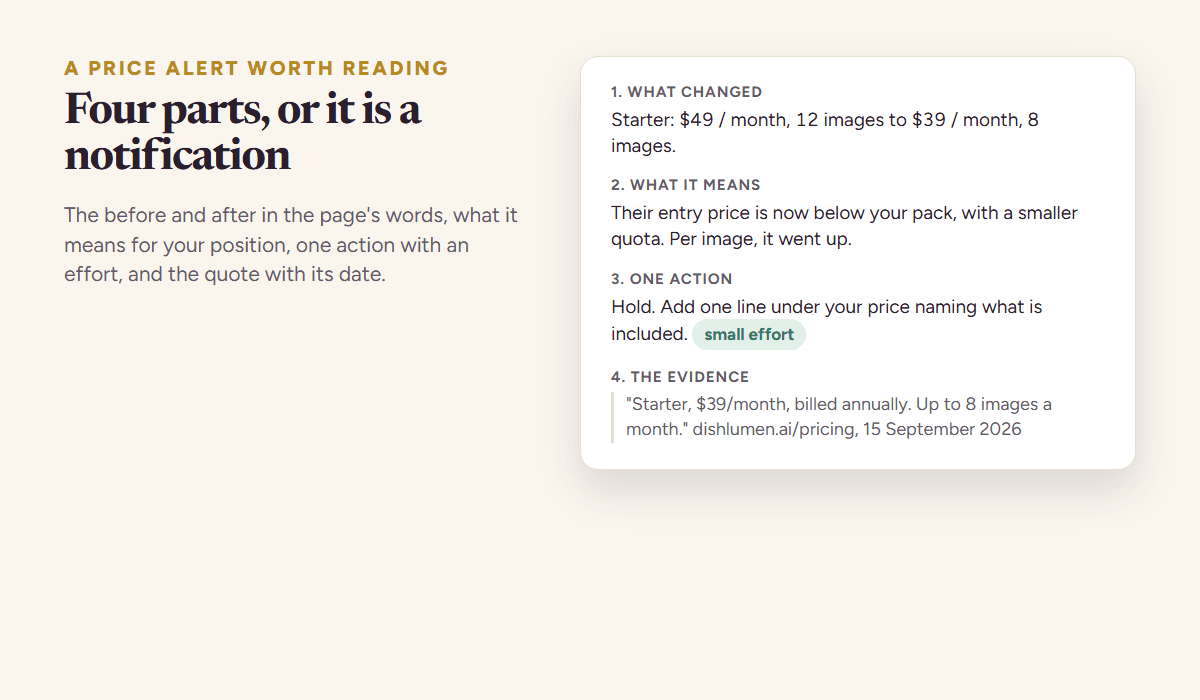
Whichever way you track, the record of a change should have four parts: the before and the after, in the page’s words; what it means for your position in the category; one action, with a rough effort; and the quote with the date. Anything with fewer parts is a notification, and notifications get ignored by the third week.
The week a competitor cuts a price: four moves
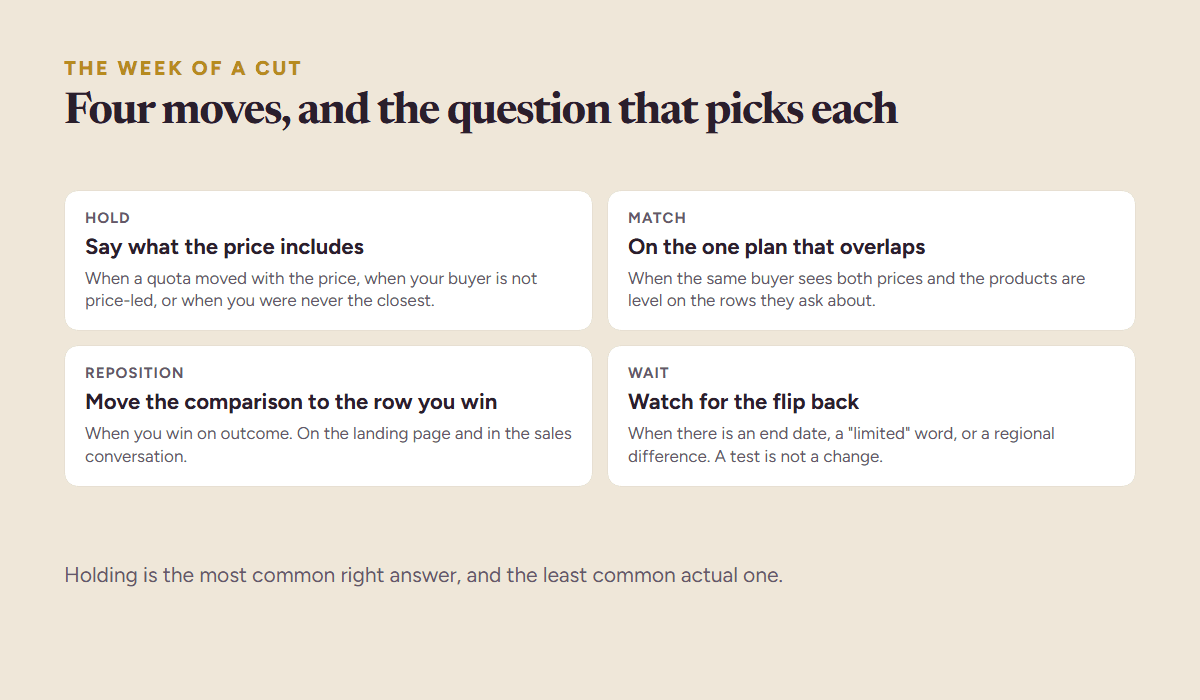
- Hold, and say what the price includes. The right move when the cut comes with a quota cut, when your buyer is not price-led, or when you were not the closest competitor. Add one line under your price that names what is included that theirs is not.
- Match on the plan that overlaps. The right move when the same buyer sees both prices side by side and the products are level on the rows that buyer cares about. Match one plan, not the whole page.
- Reposition away from the price. The right move when you win on outcome. Move the comparison to the row where you are ahead, on the landing page and in the sales conversation.
- Wait and watch. The right move when the cut looks like a promotion or a test. A banner with an end date, a price that differs by region, or a page that flips back within two weeks is not a change in the market.
Five questions pick between them, and all five can be answered from the pages you already track.
| Question | If yes | If no |
|---|---|---|
| Did a quota or a feature move with the price? | it is repackaging: hold | it is a real cut: keep asking |
| Is there an end date or a promotion word on it? | wait and watch | keep asking |
| Does your buyer shortlist both products? | keep asking | hold |
| Are the products level on the rows that buyer asks about? | match on that plan | reposition to the row you win |
| Would matching cost you more than the customers you would lose? | reposition or hold | match |
When a competitor raises a price
A rise is easier and more often wasted. If you are now clearly cheaper for the buyer you share, say so once, quietly, in the comparison that buyer already makes: a line on the pricing page, a sentence in onboarding.
Do not raise to follow them unless your own numbers say you should. Their rise is information about their costs and their customers, not about yours. And check whether it came with more: a raised top plan with new features is a move upmarket, and a gap opening below them is an opportunity that lasts as long as it takes them to notice.
False alarms, and how to keep them out
Four kinds, and every one of them is a real change to a real page that means nothing about price. Keeping them out is less about a cleverer reader and more about recording a number with a date beside it rather than an image of a page.
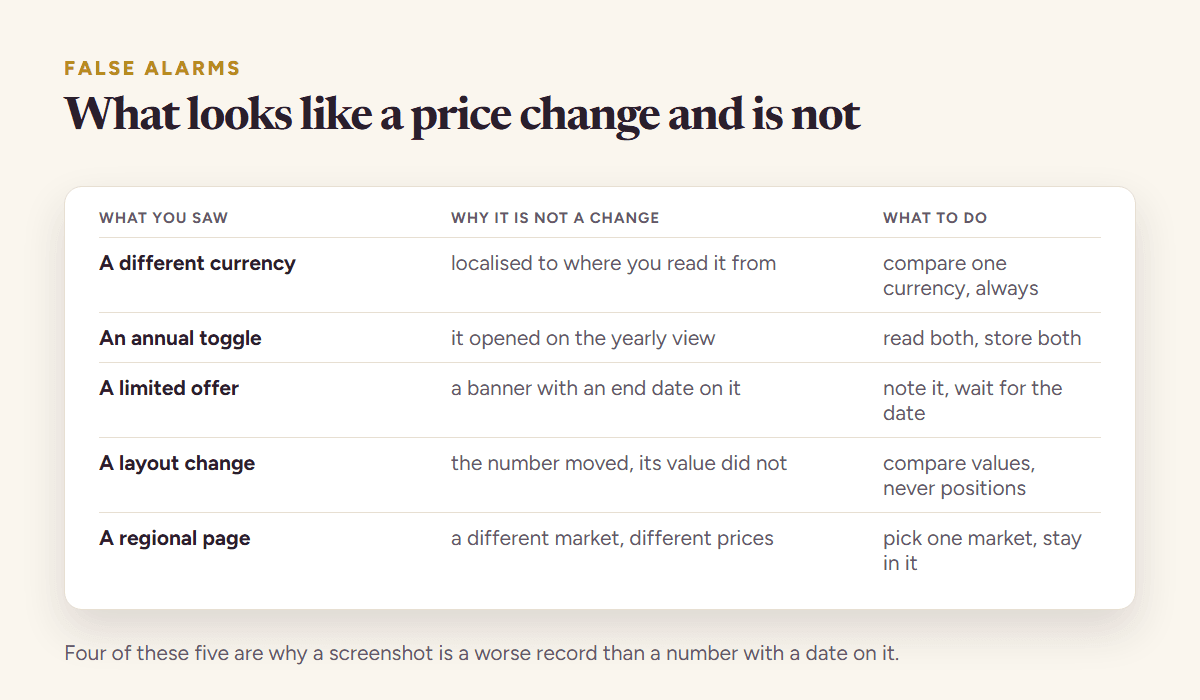
- A/B tests. A page that shows two prices to two visitors, or flips between them over a fortnight. Two reads a week apart that disagree, then agree again, are a test, not a change.
- Regional prices and currencies. The page you read from one country is not the page your buyer reads from another. Note the region with the price.
- Redesigns. Every line changes and nothing about the price does. A reader that extracts plans sees no change; a raw diff sees three hundred.
- Rotating banners and counters. “Join 31,204 restaurants” today and 31,260 tomorrow. Noise, and the reason a rating on every change matters more than the diff itself.
Automating competitor price tracking
Competite reads the pricing page and the pages around it every week for each competitor you track, pulls every plan with its price, period, quota and features, and compares this week’s read with last week’s.
A change is rated, and only a notable or major one becomes an email: what changed with the before and after, what it means for your position, one action, and the quote from the page with the date. Redesigns, rotating counters and reader hiccups never reach you. It is free to start: add your product, confirm one competitor, and tracking starts with one click under the first report.
The reading behind the tracking is the same eight-point read described in the competitor pricing analysis, and the table the changes update is the one-page template. Tracking is what keeps both true.
Questions people ask
- Should I match a competitor’s price cut?
- Only when the same buyer sees both prices side by side, the products are level on the rows that buyer cares about, and matching costs less than the customers you would lose. Most cuts come with a quota cut or a promotion end date, and the right response to those is to hold and say what your price includes.
- How do I track competitor prices automatically?
- A page-change watcher on the pricing page tells you the page changed. A reader that extracts the plans, like Competite, tells you which plan, price or quota moved, rates whether it matters, and emails only when it does, with the quote and the date. The second kind saves the hour of reading a redesign diff to find that nothing moved.
- Why did a competitor lower its price?
- Usually one of four things: self-serve growth stalled, a new competitor appeared below them, a plan was repackaged with a smaller quota, or a promotion is running. The pages around the pricing page, a new free tier, a launch, a banner with an end date, usually say which.
- How often do SaaS companies change their pricing?
- Headline prices in most software categories move a few times a year; quotas, feature tiers and promotions move more often. A weekly read of the pricing page catches changes while they can still affect your own decision; a monthly read catches most of them after the fact.
See it on your own competitors
Add your product, or just describe the idea. Competite finds the competitors, reads their pages, and writes the comparison with a quote behind every claim. Free, in about three minutes, no card.
Keep reading
Competitor tracking: how to monitor competitors’ prices, features and funding every week
Competitor tracking for founders: the six signals to monitor, how often each one moves, where they live, and what a good alert looks like.
9 September 2026 · 6 min read
Competitive benchmarking: the metrics worth tracking, and the ones that lie
How to benchmark against competitors without inventing numbers: which metrics are readable, which are modelled guesses, and how often each one actually moves.
26 September 2026 · 7 min read
Competitor pricing analysis: how to read a pricing page like a buyer
Competitor pricing analysis in an afternoon: the eight things to read on a pricing page, how to compare plans that are not alike, and how to set your price.
15 September 2026 · 9 min read
A competitor analysis template that fits on one page, with the table
A free competitor analysis template on one page: the twelve-row table, the rules for filling it with quotes and dates, a scoring key, and a worked example.
15 September 2026 · 7 min read