A competitor analysis template that fits on one page, with the table
, updated · 7 min read · by the Competite team
A competitor analysis template is only useful if it fits on one page, gets filled with evidence rather than opinion, and can be updated in ten minutes when something changes. Most templates fail on all three: they are twenty-tab spreadsheets that get filled once, from memory, before a deck. This one is a single table with twelve rows, a scoring key, and four rules. The table is below; copy it into a document or a sheet.
What a competitor analysis template has to hold
A template is a list of questions with room for the answers. The questions that matter for an early-stage company are the five from the competitor analysis guide: who competes, what they charge, what they promise, where you are ahead, and what changed. Twelve rows cover them. Anything beyond twelve rows is a research project, not an analysis, and will not be re-read.
The columns are you, two or three competitors, and one column that most templates leave out: the evidence. Every cell in a competitor column should have a quote and a date behind it, and the evidence column is where they go. Without it, the table is a list of things you believe about your competitors, and beliefs age badly.
The template
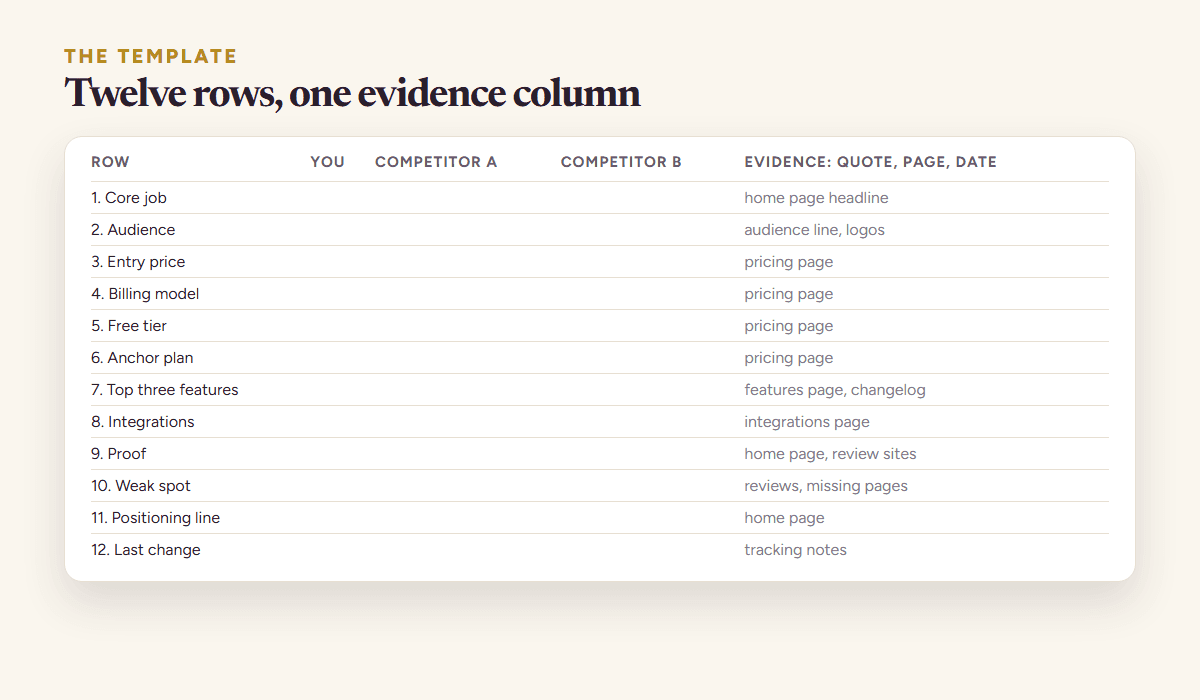
| Row | What to write | Where it comes from |
|---|---|---|
| 1. Core job | the outcome the product promises, in the page’s words | home page headline |
| 2. Audience | who the page says it is for, and at what size | the audience line, logos, case studies |
| 3. Entry price | the cheapest paid plan, monthly, with the billing period | pricing page |
| 4. Billing model | per seat, flat, usage, one-time, or a mix | pricing page |
| 5. Free tier | what it includes and, more usefully, what it withholds | pricing page |
| 6. Anchor plan | the top public plan and its price | pricing page |
| 7. Top three features | the three the page leads with | features page, changelog |
| 8. Integrations | the ones your buyer would ask about | integrations page |
| 9. Proof | customer count, review count, named logos, with the number | home page, review sites |
| 10. Weak spot | the thing their page avoids, or a complaint that repeats in reviews | reviews, missing pages |
1–10 of 12 rows | ||
Lay it out with the rows down the side and one column per product, yours first. Keep the evidence column at the far right with one line per cell: the quote, the page, the date. In a sheet, a comment on each cell does the same job.
The four rules for filling it in
Four rules, and they matter more than the layout of the table. A template filled without them fills up with remembered impressions inside a week and becomes impossible to argue with. With them, every cell can be checked by somebody who was not there.
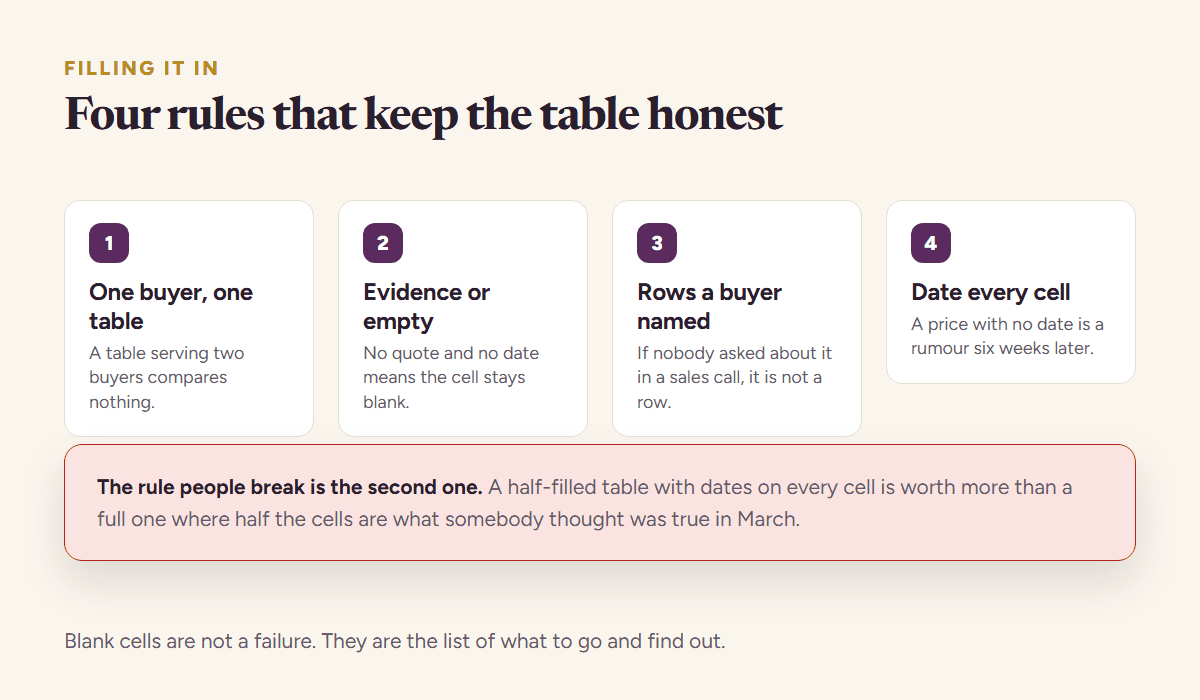
- Quote, do not paraphrase. Write what the page says, in its words, inside quotation marks. “Trusted by 30,000 restaurants” is evidence; “they have lots of customers” is a memory.
- Date every cell. Prices, quotas and claims move. A cell without a date cannot be trusted a month later and cannot be diffed.
- Prices as bands where the page is vague. If the page says “from $29”, write “from $29, check the page”; if the number depends on region or seats, write the band you saw and the profile you priced.
- Leave the cell empty rather than guess. An empty cell is a finding: their page does not say. It often means the answer is in a sales call, which is itself worth knowing.
Scoring: ahead, level, behind
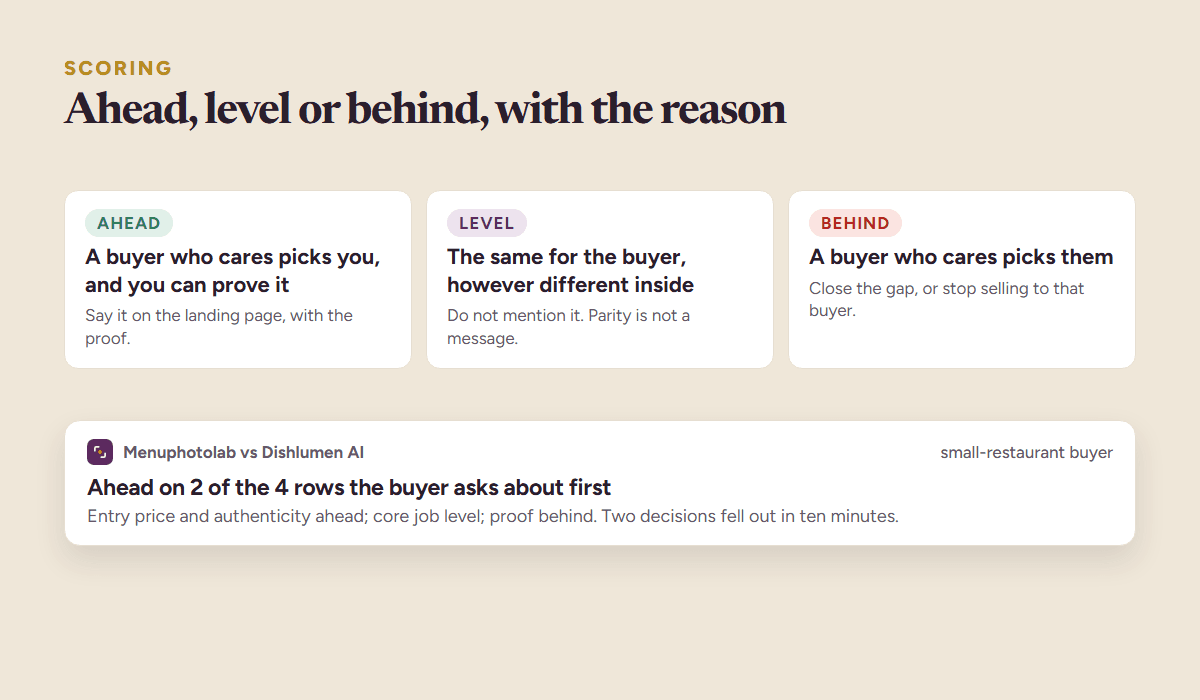
Once the cells are filled, mark each row for each competitor: ahead, level or behind, from your buyer’s point of view. “Ahead” means a buyer who cares about that row would pick you, and the evidence column says why. Resist scoring rows your buyer does not care about; a row you win that nobody asks about is not a win.
| Mark | Meaning | What to do with it |
|---|---|---|
| Ahead | a buyer who cares about this row picks you, and you can prove it | say it on the landing page, with the proof |
| Level | the same for the buyer, however different the implementation | do not mention it; parity is not a message |
| Behind | a buyer who cares about this row picks them | decide: close the gap, or stop selling to that buyer |
The count of “ahead” rows, with the evidence, is the raw material for positioning. Two rows ahead is enough for a landing page if they are the two rows the buyer asks about first. Ten rows level is a product with no reason to exist yet; that is a harder finding, and worth having early.
A worked example
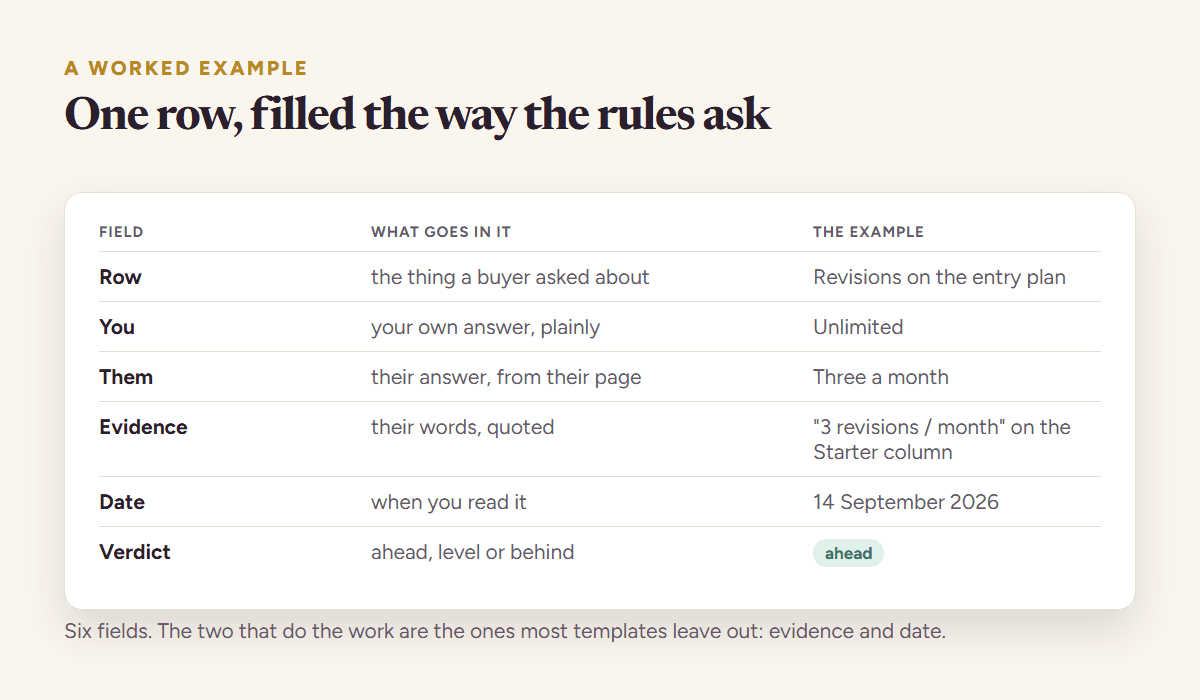
The example uses a real product, Menuphotolab, and two invented competitors, Dishlumen AI and Forkvane, so no real company’s numbers are quoted. The rows are abbreviated to the ones that decided something.
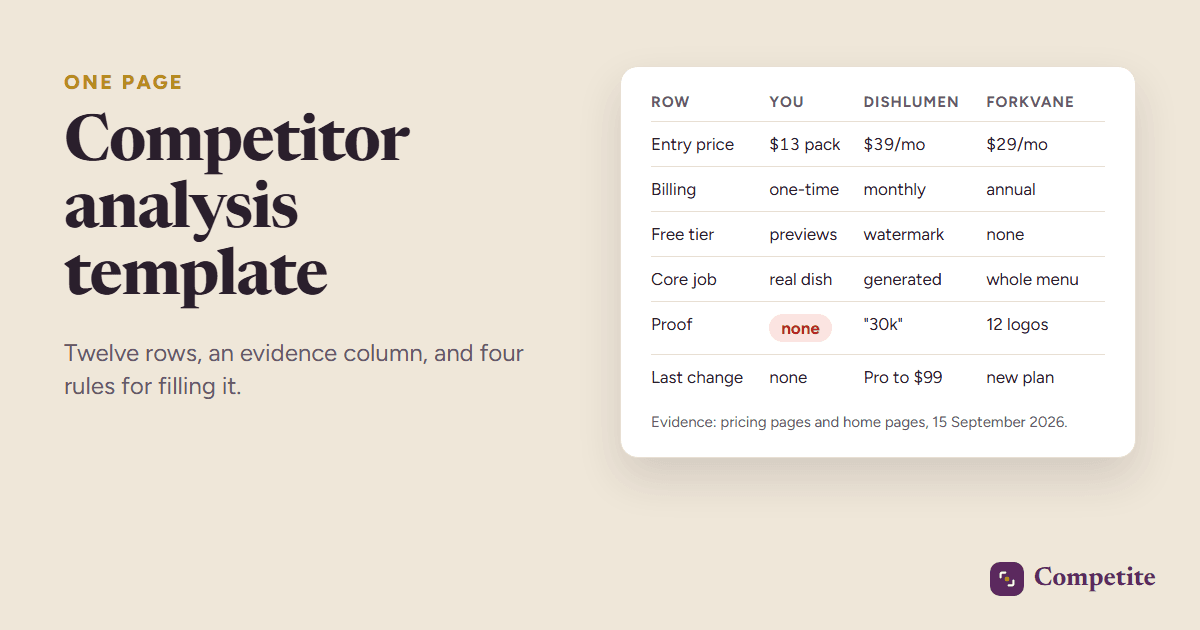
| Row | Menuphotolab | Dishlumen AI | Forkvane | Evidence |
|---|---|---|---|---|
| Entry price | $13 one-time pack | $39 a month | $29 a month, billed annually | pricing pages, 15 September 2026 |
| Billing model | one-time | subscription | subscription, annual only | pricing pages |
| Free tier | three previews, no download | watermarked downloads | none | pricing pages |
| Core job | “your dishes, professionally photographed” | “delivery-ready food photos in minutes” | “menus that sell more” | home page headlines |
| Proof | none published | “trusted by 30,000 restaurants” | twelve named logos | home pages |
| Weak spot | no volume proof | generated dishes, not the real one | annual commitment for a first try | pages and reviews |
| Last change | none | Pro plan raised to $99, 2 September | new “Chains” plan, 28 August | tracking notes |
Scored from a small-restaurant buyer’s point of view, Menuphotolab is ahead on entry price and on authenticity, level on the core job, behind on proof. The decisions that fell out: keep the one-time model and say so above the price, put a real-dish before-and-after on the landing page, and collect the first ten customer quotes before spending on anything else. The template took an afternoon; the decisions took ten minutes once it was filled.
The mistakes the template is built to prevent
Four, and the template is shaped around them rather than around the information. The evidence column, the date on every cell and the last-change row each exist because of a specific way this document usually fails, not because more columns are better.
- Filling it from memory. The evidence column exists so that this is visibly impossible. If a cell has no quote, it is not filled.
- Comparing with the wrong companies. The biggest name in the category is rarely the product your buyer shortlists. How to find competitors covers who belongs in the columns.
- Scoring every row. Only the rows your buyer asks about count. A template full of “ahead” marks on rows nobody cares about is flattering and useless.
- Filling it once. Row twelve, the last change, is the row that keeps the rest alive. If it has not moved in three months, either nothing happened or nobody looked.
Keeping the template current
The cells that move are the pricing rows and the features row, and they move quietly: a quota shrinks, a feature climbs a tier, a plan is renamed. Re-read those pages monthly at least; weekly for the closest competitor. The competitor tracking guide has the cadence per row, and the pricing analysis goes deeper on rows three to six, which are the ones that decide your price.
Competite fills this table from the pages themselves: it reads your product and one competitor, pulls the plans, prices, claims and proof with the quote each came from, marks where you are ahead, and ends with a pricing call and five actions. Then it re-reads the pages weekly and writes row twelve for you. It is free to start: add your product, confirm one competitor, and the first report is ready in about three minutes.
Questions people ask
- What should a competitor analysis template include?
- Twelve rows: the core job, the audience, the entry price, the billing model, the free tier, the anchor plan, the top three features, integrations, proof, the weak spot, the positioning line and the last change. Plus one evidence column with a quote and a date for every cell.
- Should I build the competitor analysis template in a spreadsheet or a document?
- Either, as long as it stays on one page. A sheet makes the columns and the cell comments for evidence easy; a document reads better in a deck appendix. What breaks the template is size, not format: twenty tabs never get re-read.
- How many competitors should the template compare?
- Two or three, plus your product. Two direct competitors and one adjacent product cover what a buyer shortlists; more columns than that stop fitting on a page and stop being updated.
- How often should I update the competitor analysis template?
- The pricing and feature rows monthly at least, weekly for the closest competitor, and the last-change row whenever something moves. The rest, positioning, audience, proof, can be re-read quarterly.
See it on your own competitors
Add your product, or just describe the idea. Competite finds the competitors, reads their pages, and writes the comparison with a quote behind every claim. Free, in about three minutes, no card.
Keep reading
A competitor analysis example, start to finish, with the decision it produced
A worked competitor analysis example: the list, the scoring, both pricing pages compared, the filled table, the decision it produced and what changed after.
20 September 2026 · 6 min read
A direct competitor comparison that survives contact with a buyer
How to run a direct competitor comparison against one rival: picking the right one, making plans comparable, and the four habits that make a comparison useless.
19 September 2026 · 6 min read
Competitive analysis frameworks: which one answers your question
Five competitive analysis frameworks compared: what each one answers, when it is the wrong tool, and how to pick the one that fits the decision in front of you.
26 September 2026 · 9 min read
Competitor analysis for startups: a founder’s guide
How to do a competitor analysis as an early-stage founder: find the real competitors, read their pricing, quote their claims, and keep it alive every week.
9 September 2026 · 8 min read
Competitor pricing analysis: how to read a pricing page like a buyer
Competitor pricing analysis in an afternoon: the eight things to read on a pricing page, how to compare plans that are not alike, and how to set your price.
15 September 2026 · 9 min read