Competitor tracking: how to monitor competitors’ prices, features and funding every week
, updated · 6 min read · by the Competite team
Competitor tracking is the habit of re-reading a competitor’s pages every week and noticing what moved: a price, a plan, a feature, a funding round, a launch. It is different from competitor analysis, which is the comparison at one moment. This guide covers what to track, how often each signal changes, where the signals live, how to do it by hand, and what a good competitor alert looks like.
What competitor tracking is, and what it is not
Tracking is not reading a competitor’s blog for inspiration and it is not a Slack channel of screenshots. It is a fixed list of pages, a fixed cadence, and a written note of every change with the date and the quote. The output is small: most weeks, nothing. The value is the week something happens, because you find out on Monday and not from a customer three weeks later.
If you have not done the one-time comparison yet, start with a competitor analysis. Tracking keeps that analysis true.
The six signals worth tracking, and how often each one moves
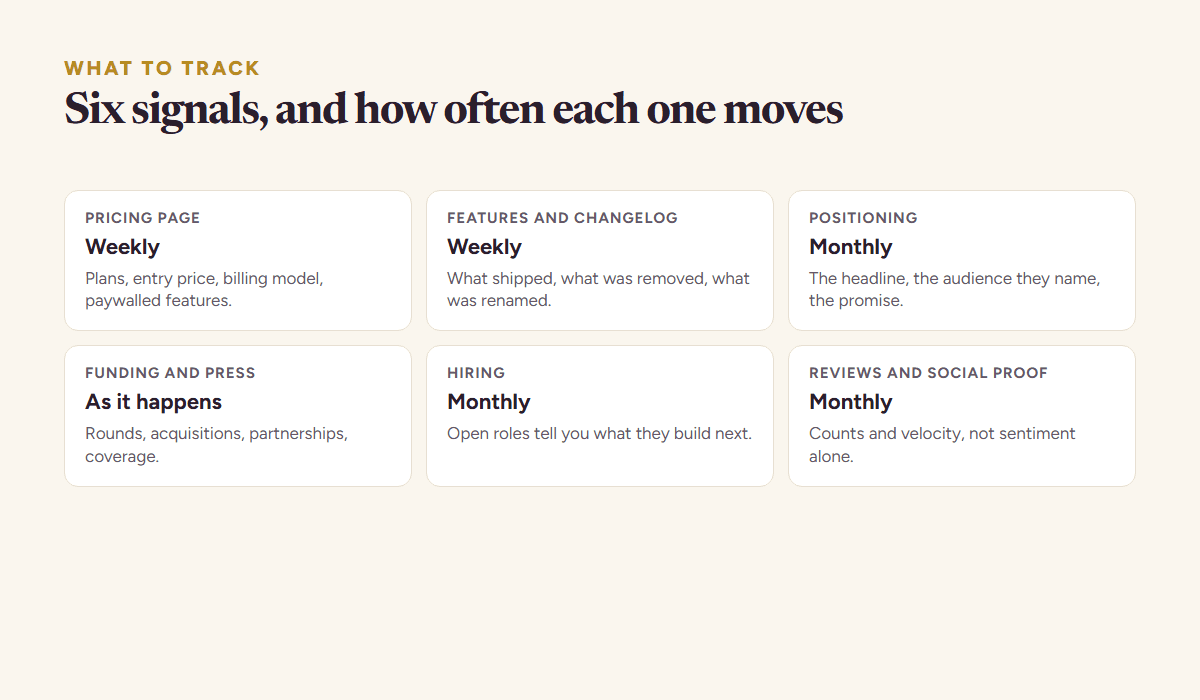
| Signal | Where it lives | How often it moves | What it tells you |
|---|---|---|---|
| Pricing | the pricing page | weekly | a plan added or cut, an entry price moved, a feature paywalled |
| Features | features page, changelog, release notes | weekly | what shipped, what was removed, what was renamed |
| Positioning | the home page headline and audience | monthly | who they now say they are for |
| Funding and press | press releases, news, their newsroom | as it happens | money, acquisitions, partnerships |
| Hiring | the careers page | monthly | what they will build next, and where they sell |
| Reviews and proof | G2, Capterra, app stores, logo walls | monthly | volume and velocity, not just sentiment |
Two of these deserve the weekly slot: pricing and features. A price change is the single event most likely to change your own decision, and a changelog is the most honest roadmap a competitor publishes. Funding does not fit a cadence; it lands on a Wednesday morning and the press release is the source. The rest move slowly enough that a monthly read is honest.
Where the signals live
On a handful of pages the competitor publishes themselves, plus the places other people write about them. Pricing, changelog, careers and the newsroom are theirs. Review sites and app stores are not. Between them they carry every signal worth a weekly read.
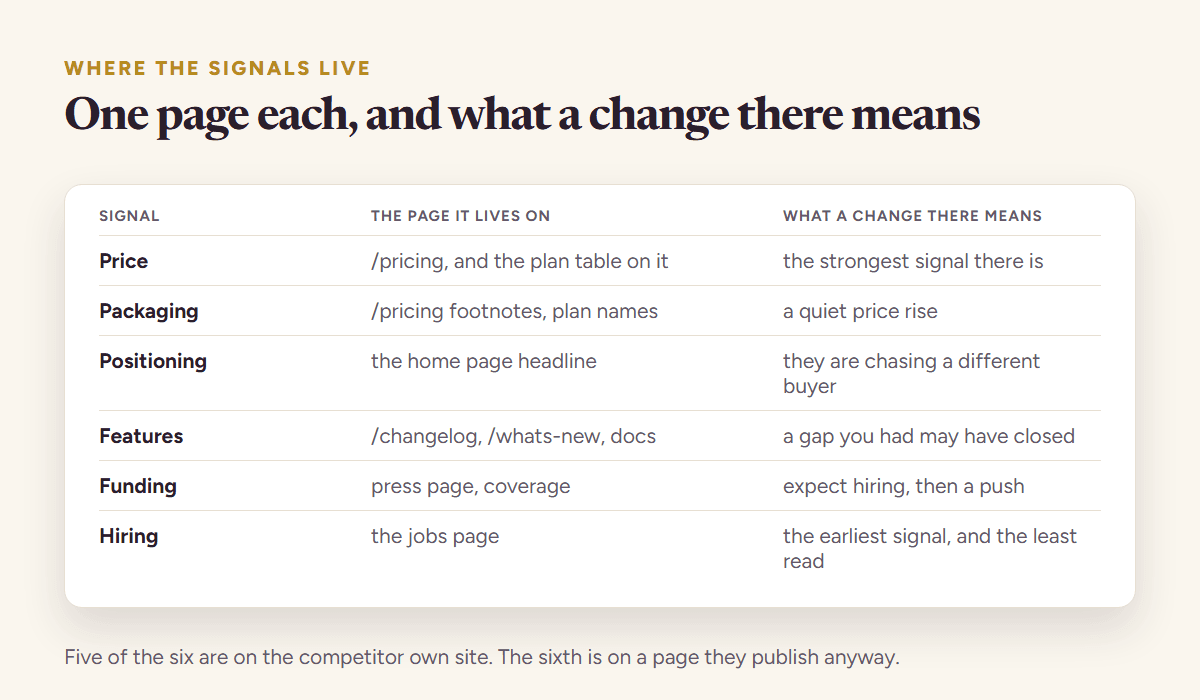
- The pricing page. Read every plan, the billing toggle, the footnotes, the “contact us” tier and what the free tier withholds. Save the text, not a screenshot, so the diff is readable.
- The changelog or release notes. If they publish one, it is the best page on the site. If they do not, the features page and the app-store “what’s new” are the fallback.
- The careers page. Five sales roles say “we are going outbound”; three machine-learning roles say “the feature is coming”.
- Press releases and coverage. PR Newswire, Business Wire, the company newsroom, and the two or three trade publications for the category.
- Review sites and app stores. The count and the velocity of reviews, which approximate customer volume better than any traffic estimate for a small company.
How to track competitors by hand
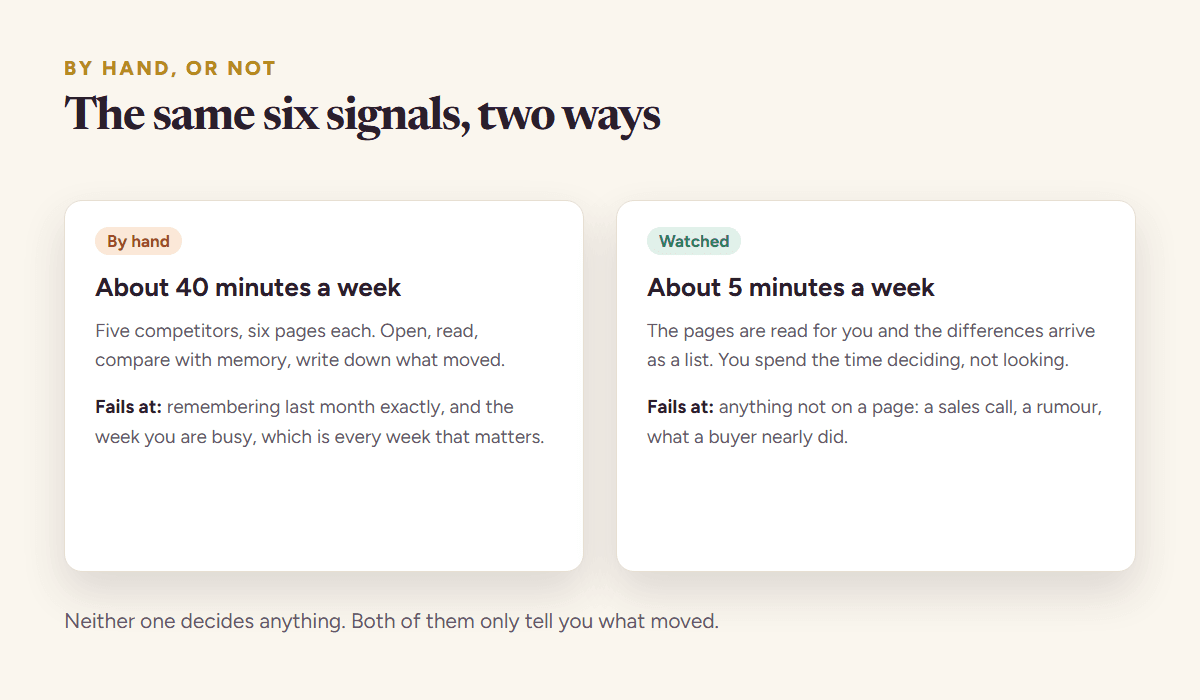
A spreadsheet with one row per competitor and one column per page, a calendar reminder on Monday morning, and thirty minutes. Open each page, compare against the saved text, write down what changed. Add a Google Alert for each competitor’s name and a page-change watcher (Visualping and Distill are the usual ones) on the pricing pages. That covers a founder with three competitors for about zero dollars a month.
It breaks in three predictable ways. The watcher fires on a copy tweak and you stop reading it. The Monday reminder gets skipped in a launch week, and that is the week the price moves. And the note says “pricing changed” without the before, the after and the quote, so a month later nobody can say what changed. The fix for all three is the same: track a small set of pages, record the exact text, and rate every change by how much it matters to you.
What a good competitor alert looks like
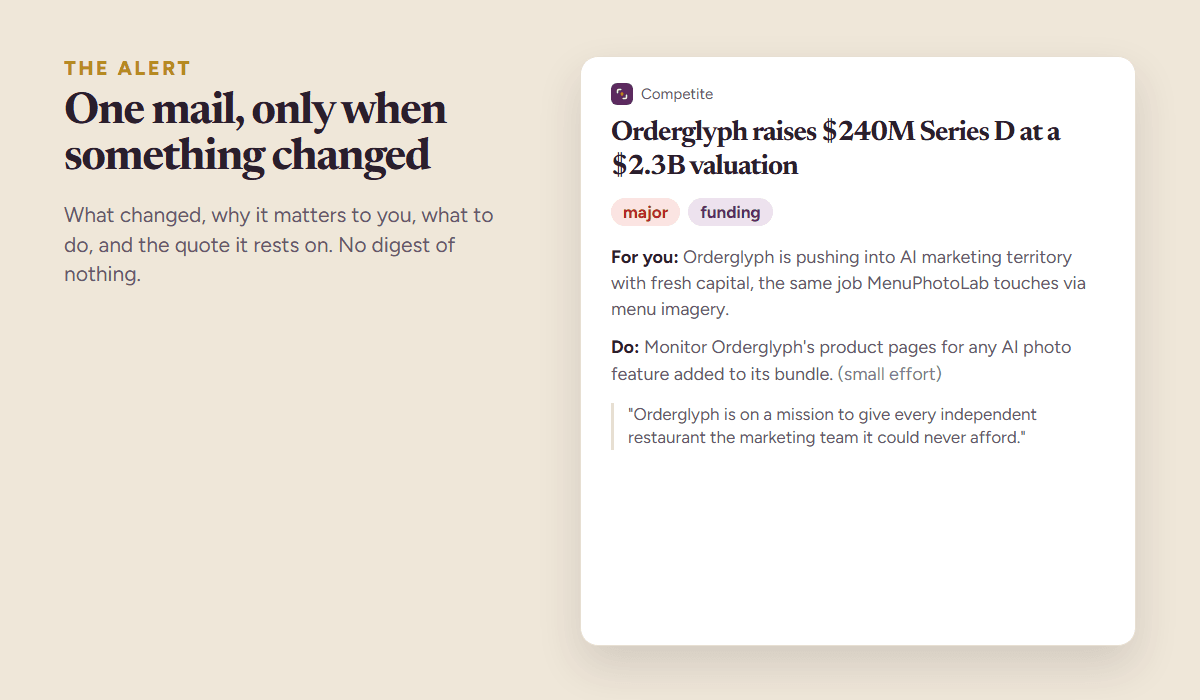
A good alert has four parts and no filler:
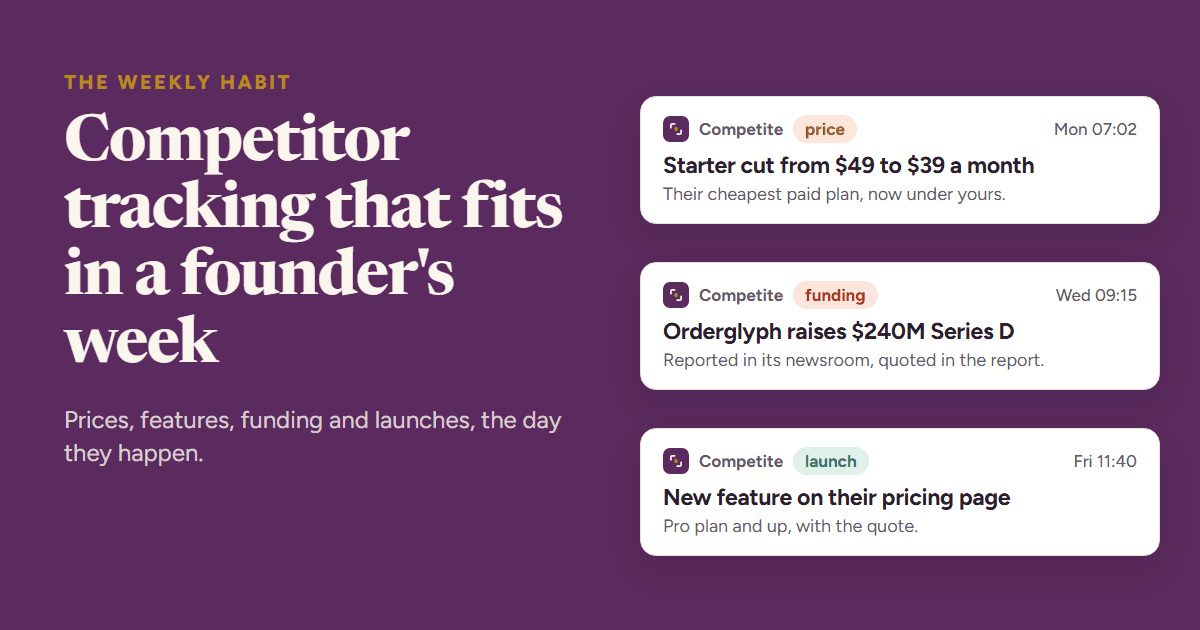
- What changed, in one line, with the before and the after: “Starter cut from $49 to $39 a month”.
- Why it matters to you, in one or two sentences that mention your product, not theirs: “their cheapest paid plan now sits under yours”.
- What to do, one action with an effort estimate: “re-check the $29 to $35 call; small effort”.
- The quote, the exact sentence from the page or the press release, with the date, so the alert can be checked and argued with.
The noise rule
Rate every change major, notable or minor before it becomes an alert. A price, a plan or a funding round is major. A renamed feature is notable. A copy tweak is minor and never leaves the log. An alert channel that fires on minor changes is muted within a month.
Turning tracking into pricing decisions
The point of tracking is not to know things; it is to change something. Keep one document that states your pricing call as a range with the two quotes that justify it (“$29 to $35 a month, under their $39 Starter, above their $13 pack”).
When a tracked price moves, the alert should say whether the call still holds. Most weeks it does. The week it does not, you have the exact quote to take into the discussion, and you have it the day it happened.
Two readings of the same page are also the cheapest benchmark you will ever build. Which competitor metrics are worth benchmarking rather than guessed at is a separate question, and it decides whether the sheet survives an argument.
Automating it
The by-hand version costs a founder about two hours a week for three competitors, and it fails in a launch week, which is exactly the week it mattered.
Competite does the same job on a schedule: it reads the pricing, features and changelog pages you confirm every week, follows funding, launches and press beyond the site, rates every change, and sends one mail with the four parts above only when something changed. Every claim carries the quote from the page it came from. It is free to start with one competitor: add your product, confirm the competitor, and the first report arrives in about three minutes; tracking starts with one click below it.
Whether you automate it or not, the rules are the same: a small set of pages, a fixed cadence, the exact text, and a rating on every change. Choosing a tool for it is a separate question, covered in the guide to competitor analysis tools.
Questions people ask
- How often should I check competitors’ pricing?
- Weekly. Pricing pages change more often than founders expect, and a weekly read is the cadence at which a change still influences your own pricing decision. Positioning and hiring can be read monthly; funding and press should reach you the day they happen.
- What is the difference between competitor tracking and competitor monitoring?
- They are used interchangeably. Both mean re-reading a fixed set of a competitor’s pages and sources on a schedule and recording what changed. “Competitive intelligence” is the broader enterprise term that adds sales battlecards and win-loss analysis on top.
- Can I track competitors for free?
- Yes, with a spreadsheet, a Monday reminder, Google Alerts on the company names and a page-change watcher on the pricing pages. It costs about two hours a week for three competitors and tends to fail in the busy week. Competite’s free plan tracks one competitor with a monthly read and one report a month.
- What should a competitor alert contain?
- What changed with the before and after, why it matters to your product, one action with an effort estimate, and the exact quote from the source with the date. Anything without those four parts is a notification, not an alert.
See it on your own competitors
Add your product, or just describe the idea. Competite finds the competitors, reads their pages, and writes the comparison with a quote behind every claim. Free, in about three minutes, no card.
Keep reading
Competitor analysis for startups: a founder’s guide
How to do a competitor analysis as an early-stage founder: find the real competitors, read their pricing, quote their claims, and keep it alive every week.
9 September 2026 · 8 min read
Competitive benchmarking: the metrics worth tracking, and the ones that lie
How to benchmark against competitors without inventing numbers: which metrics are readable, which are modelled guesses, and how often each one actually moves.
26 September 2026 · 7 min read
Competitor analysis tools in 2026: which kind you actually need
The five kinds of competitor analysis tools, what each answers, who it is for and what it costs, from traffic estimators to founder-focused tracking.
9 September 2026 · 6 min read