Competitor pricing analysis: how to read a pricing page like a buyer
, updated · 9 min read · by the Competite team
Competitor pricing analysis is reading a competitor’s pricing page the way a buyer does, writing down what it actually says, and comparing it with yours on the same units. Most founders do it once, from memory, in a deck. This guide is the version you can repeat: the eight things to read on any pricing page, how to compare plans that are not alike, the tricks pricing pages play, and how to turn the whole thing into a price of your own.
Why competitor pricing analysis is the part of the analysis that pays
Of everything a competitor publishes, the pricing page is the one document written to be acted on. It is where positioning becomes a number, where the free tier says who the product is not for, and where a change shows up first when the company is under pressure. A competitor analysis that skips the pricing page is a list of features; one that reads it properly ends in a decision about your own price.
The trap is reading it once. Pricing pages move: a plan is renamed, a quota shrinks, an annual toggle appears, a “contact us” tier replaces a public number. Whatever you write down today needs a date on it, and a way to notice when it stops being true. That second part is competitor price tracking, covered separately. This post is the reading.
The eight things to read on a competitor’s pricing page
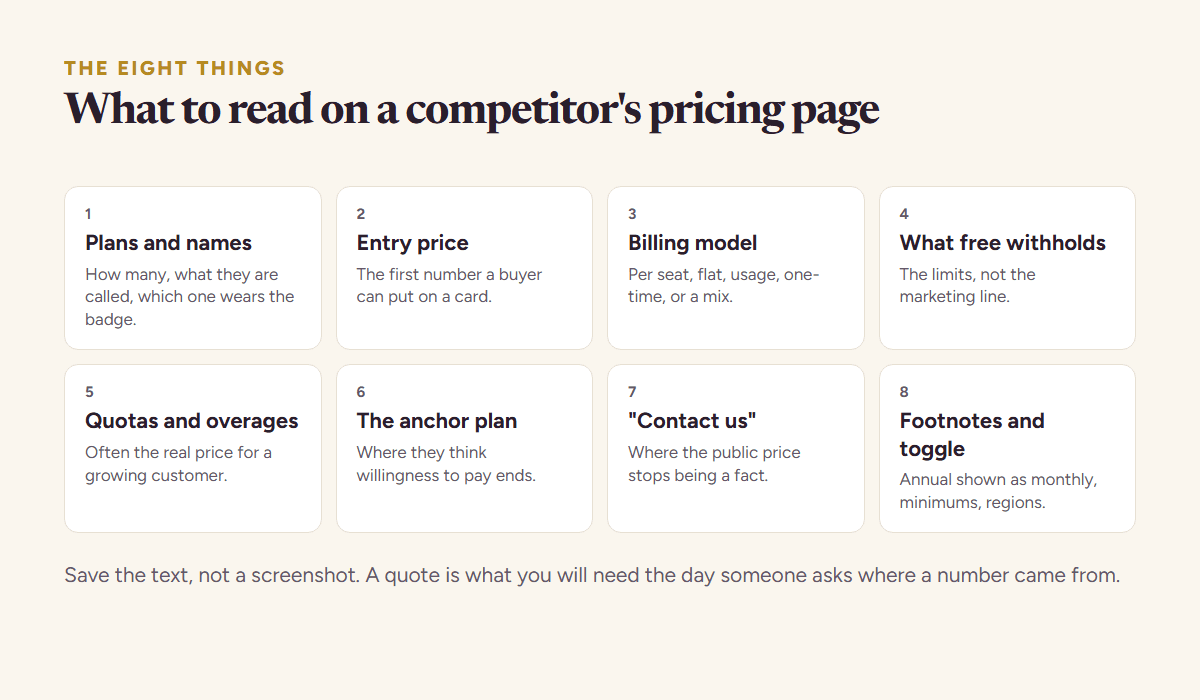
- The plans and their names. How many, what they are called, and which one the page pushes with a “most popular” badge. Names tell you who each plan is for; the badge tells you which one they want to sell.
- The entry price. The cheapest way to pay anything. Not the free tier, not the enterprise call: the first number a buyer can put on a card.
- The billing model. Per seat, flat, per unit of usage, one-time, or a mix. Two products at “$29” are not the same price if one is per user and the other is per workspace.
- What the free tier withholds. The free plan is a statement of what the company considers table stakes and what it considers worth paying for. Write down the limits, not the marketing line.
- Quotas and overages. Credits, seats, projects, API calls, storage. The overage price is often the real price for a growing customer and it is almost never on the plan card.
- The anchor plan. The expensive plan whose job is to make the middle plan look reasonable. It tells you where they think the ceiling of willingness to pay sits.
- The “contact us” tier. Where the public price stops. Everything above it is negotiated, which means the published price is a floor, not a fact.
- The footnotes and the toggle. Annual versus monthly, “billed annually”, per-seat minimums, regional prices, taxes. The headline number is the annual price shown monthly more often than not.
Save the text of the page, not a screenshot. A screenshot cannot be searched, diffed or quoted, and a quote is what you will need the day someone asks where a number came from.
Comparing plans that are not alike
The hard part of competitor pricing analysis is that plans are built to be incomparable. One competitor charges per seat with a five-seat minimum, another charges a flat fee with a usage cap, a third sells a one-time pack. Comparing the headline numbers tells you nothing. Comparing the price of the same job does.
Pick two or three buyer profiles that matter to you, for example a solo founder, a five-person team, and a team of twenty at moderate usage. Then price each competitor’s plans for each profile, on a monthly basis, with the quotas that profile would actually hit. The table below does it for a made-up pair in the food-photography space, where the founder sells a one-time pack and the competitor sells a subscription.
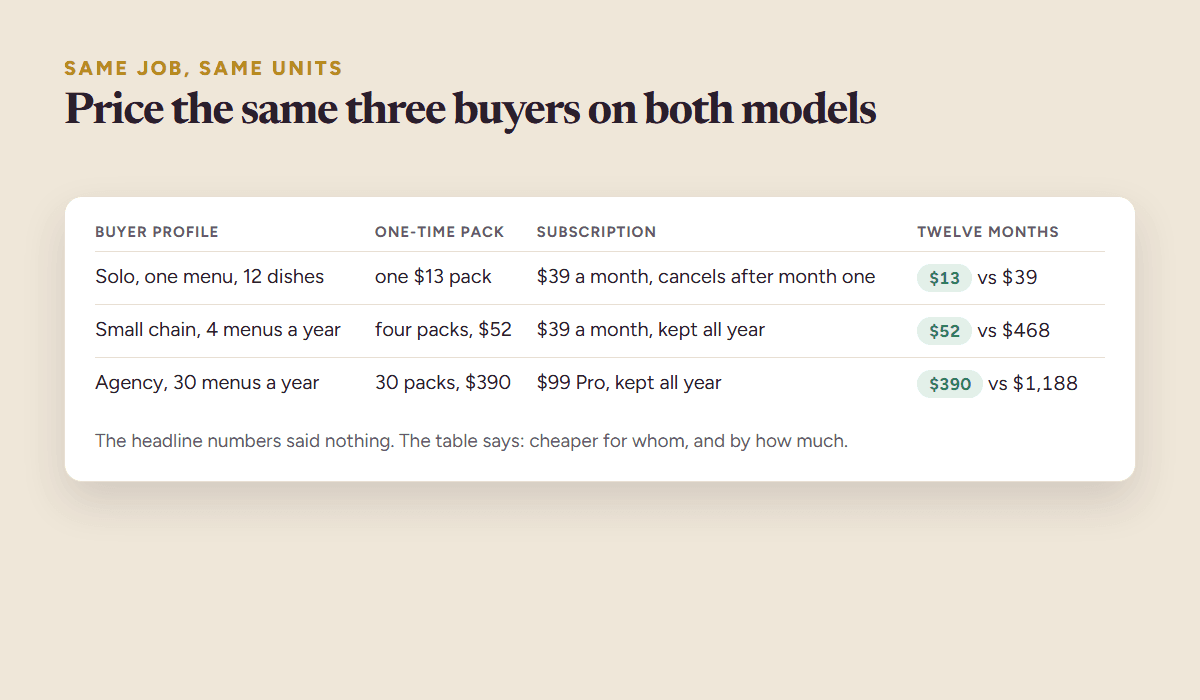
| Buyer profile | One-time pack (your model) | Subscription (their model) | Twelve-month cost, yours vs theirs |
|---|---|---|---|
| Solo, one menu, 12 dishes | one $13 pack, re-edits included | $39 a month, cancels after month one | $13 vs $39 |
| Small chain, 4 menus a year | four packs, $52 | $39 a month, kept all year | $52 vs $468 |
| Agency, 30 menus a year | 30 packs, $390 | $99 Pro plan, kept all year | $390 vs $1,188 |
Two things appear that the headline numbers hid. First, the subscription is not more expensive for everyone: the solo buyer who cancels after a month pays $39 once, which is close to three packs. Second, the gap grows with volume, which is the argument your pricing page should make to the agency and should not bother making to the solo buyer. That is the output of the analysis: not “we are cheaper”, but “we are cheaper for whom, and by how much”.
The tricks pricing pages play, and how to read through them
Six of them, and none is dishonest exactly. A pricing page is a sales document, so it is arranged to make one number look small and another look generous. Reading through that is mostly a matter of knowing where the arranging happens, which is almost always the footnotes.
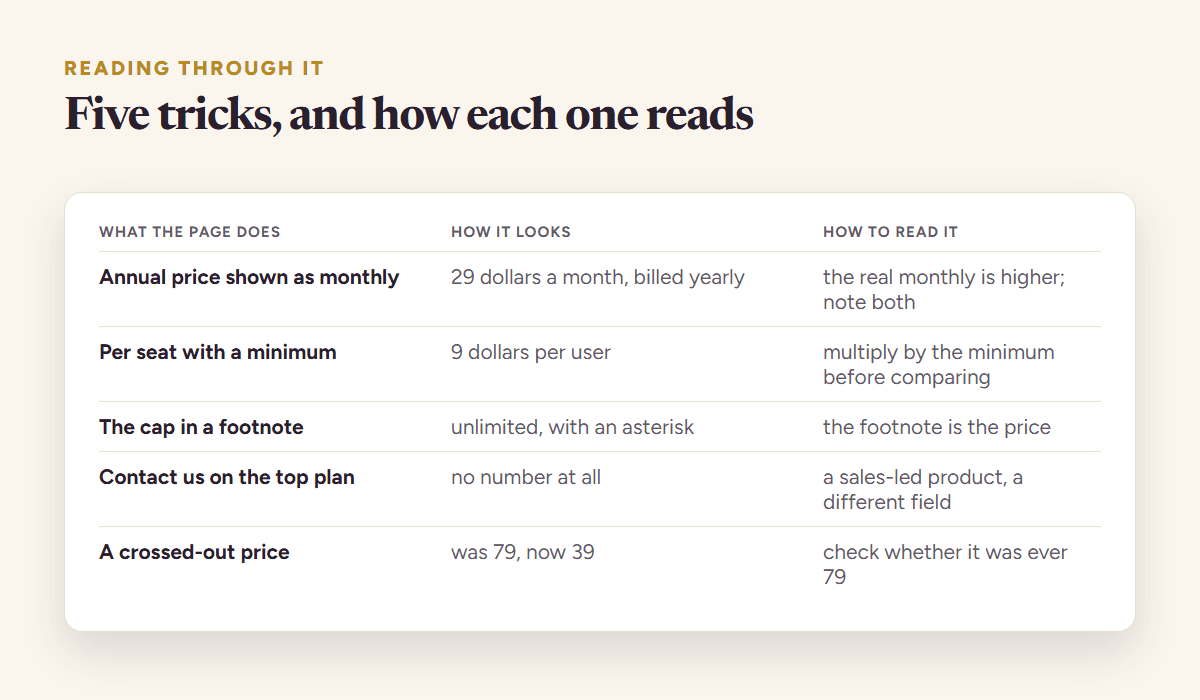
- Annual shown as monthly. “$29/month, billed annually” is $348 up front. Write the yearly number next to the monthly one, and check whether a true monthly price exists at all.
- The decoy. A plan nobody buys, priced so the plan next to it looks like a bargain. If the middle plan is “most popular”, ask what the plan above it is for.
- The moving quota. The same price with a smaller allowance is a price rise. Track the quota with the price, or you will miss most of the rises.
- The feature that moved tiers. A feature that was in Starter and is now in Pro is a price rise for everyone who needed it. Pricing pages rarely announce this; a diff catches it.
- Regional and currency prices. The page you see depends on where you are. Read from where your buyers are, or at least note which region the numbers came from.
- The promotion banner. “50% off for three months” is a different price for a different period. Record it as a promotion with an end date, not as the price.
Turning the analysis into your own price
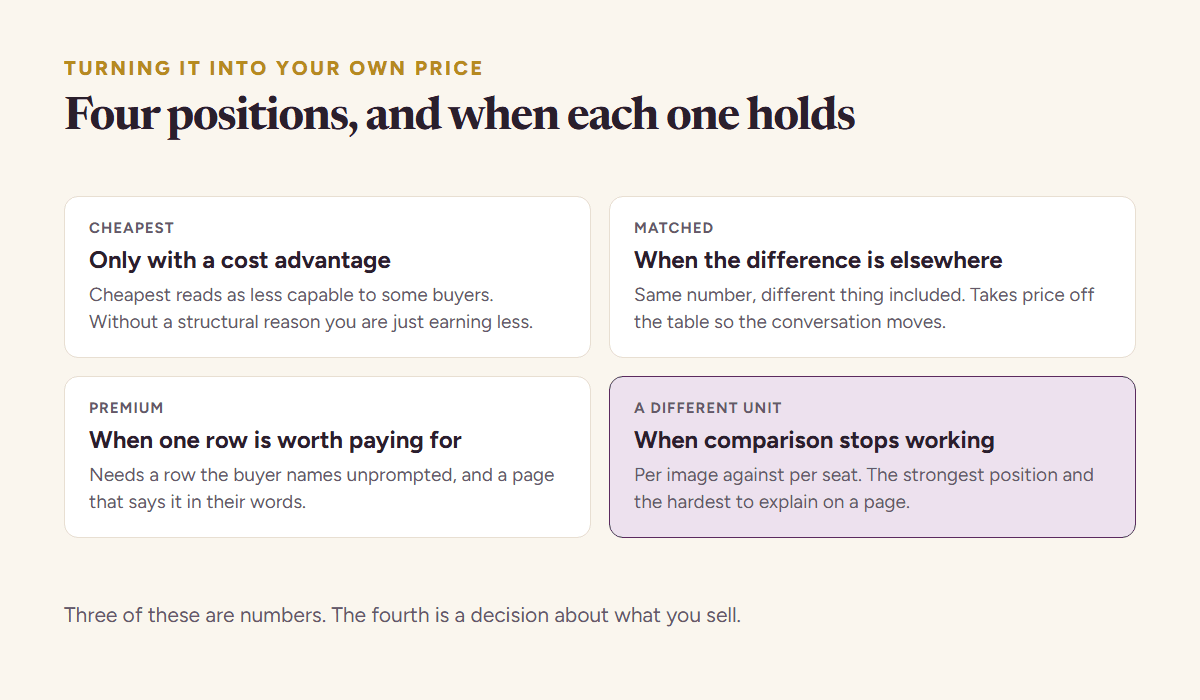
The analysis is finished when you can say where your entry price sits in the category and why it belongs there. Three positions are honest; the fourth is a mistake.
| Position | When it is right | What your page has to say |
|---|---|---|
| Cheapest in the category | a simpler product, a narrower job, a self-serve buyer | what the price includes, so cheap does not read as less |
| Mid-range, near the median | the same job done differently, a feature they lack | the one thing you do that they do not, with proof |
| Above the median | a better result, a segment that pays for outcome | the outcome, quantified, and who it is for |
| Undercutting by a little | almost never | nothing convincing; a buyer reads “10% cheaper” as “the same but worse” |
Price bands beat exact numbers here. “The entry prices in this category run from about $13 to about $49 a month, with most between $29 and $39” is a sentence that survives a competitor moving one plan; “the median is $34.50” is not. Quote the bands, date them, and check the pages before you repeat them.
A worked example
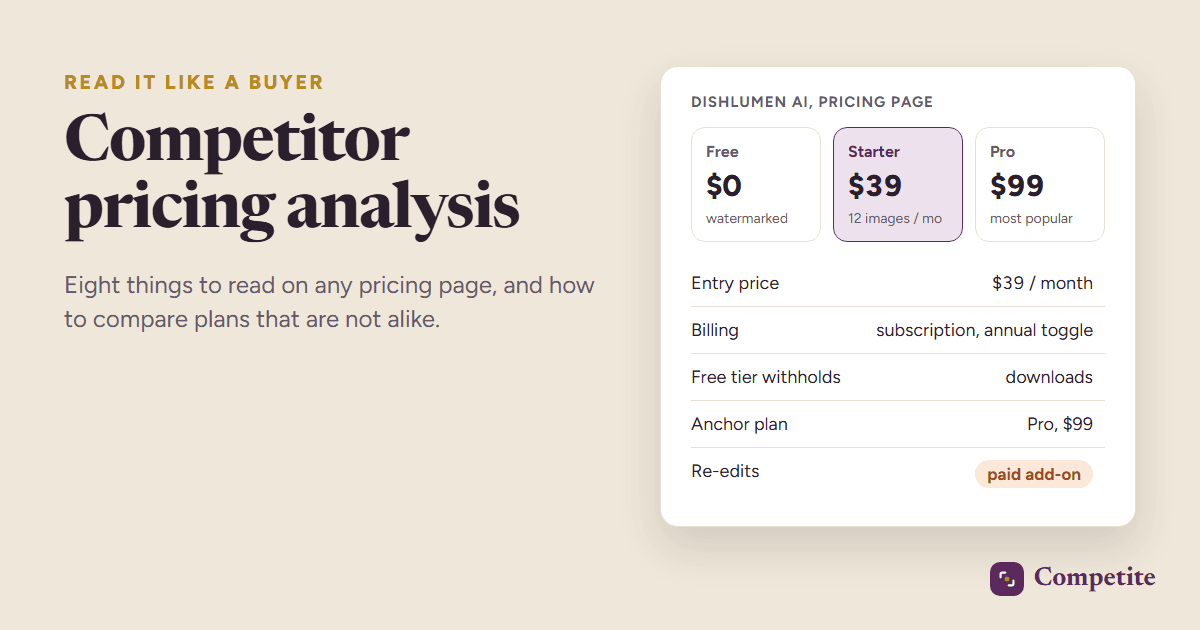
Menuphotolab sells a one-time pack of AI-edited dish photos. Its closest competitor in the analysis, the fictional Dishlumen AI, sells a $39 monthly subscription with re-edits as a paid add-on. The eight-point read showed the subscription’s free tier withholds downloads entirely, its quota is twelve images a month, and its “most popular” Pro plan at $99 anchors the $39 plan. The like-for-like table put the pack cheapest for every profile except a solo buyer who cancels after one month. The decision: keep the pack, add a line under the price saying re-edits are included, and stop describing it as “affordable”, which invited the comparison the pack wins anyway.
Keeping the analysis true
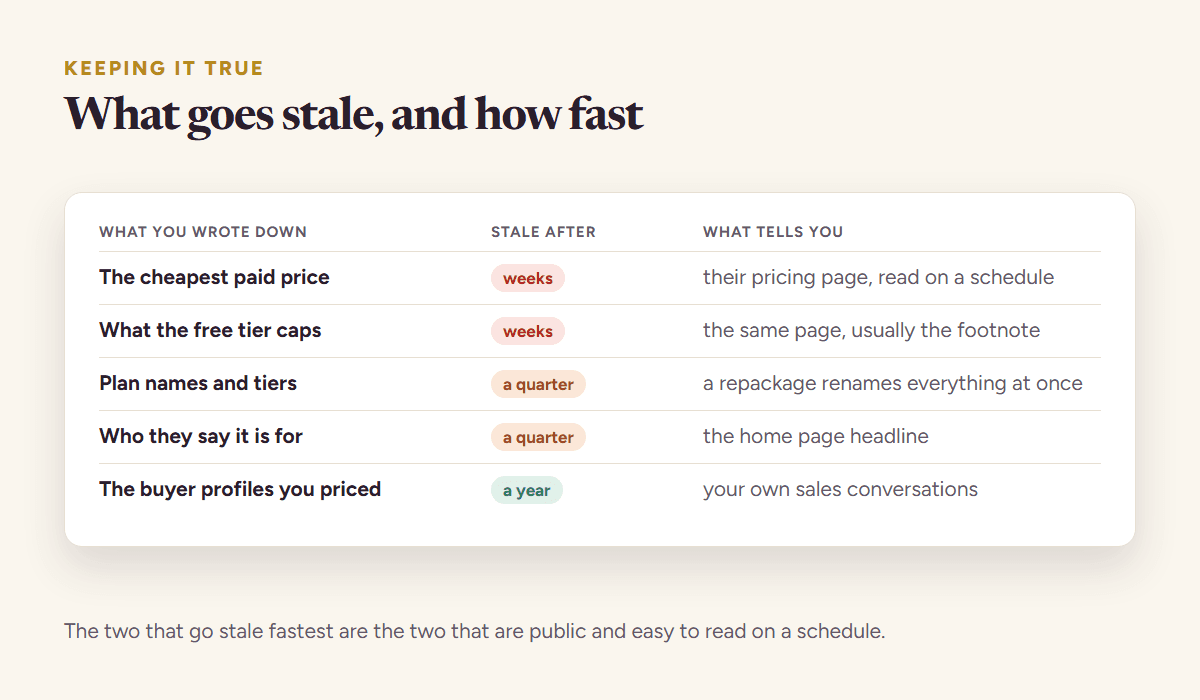
A pricing analysis is a snapshot with a date on it. Pricing pages in this kind of category change a few times a year, and the changes that matter most, a quota cut or a feature moved up a tier, are the quiet ones.
Re-read the pages monthly at least, weekly if the competitor is close, and diff the text rather than eyeballing the page. The competitor tracking guide has the cadence for every signal.
Competite does this reading for you: it reads the pricing page and the pages around it, pulls every plan with its price, period and quota, quotes the line each fact came from, and puts your product next to it in a report that ends with a pricing call. Then it re-reads the pages every week and tells you when a plan, a price or a quota moved. It is free to start: add your product, confirm one competitor, and the first report is ready in about three minutes.
Whether you use a tool or a spreadsheet, the method is the same: eight things per page, the same units across pages, the quote and the date next to every number, and a decision at the end. If you want the whole competitor analysis around it, the one-page template holds the pricing rows and the rest.
Questions people ask
- How do I compare competitor pricing when they charge per seat and I charge a flat fee?
- Pick two or three buyer profiles that matter to you, with a team size and a usage level each, and price every competitor’s plan for each profile on a monthly basis. Compare those totals, not the headline numbers. The result is a sentence like “cheaper for teams under five, dearer above twenty”, which is what your pricing page needs to say.
- Should I price my product below my competitors?
- Only if the product is simpler, the job narrower, or the buyer self-serve, and only if the page says what the price includes. Undercutting a close competitor by a small margin is the weakest position: buyers read a slightly lower price as the same product with something missing.
- How often do competitors change their pricing?
- Published prices in most software categories move a few times a year, but quotas, feature tiers and promotions move more often than the headline numbers. A monthly re-read catches most changes; a weekly one catches them while they still affect your decision.
- What is an anchor plan on a pricing page?
- The expensive plan whose main job is to make the plan next to it look reasonable. It shows where the company believes the ceiling of willingness to pay sits. Read it as a signal about their best customers, not as a price you need to match.
See it on your own competitors
Add your product, or just describe the idea. Competite finds the competitors, reads their pages, and writes the comparison with a quote behind every claim. Free, in about three minutes, no card.
Keep reading
Competitor analysis for startups: a founder’s guide
How to do a competitor analysis as an early-stage founder: find the real competitors, read their pricing, quote their claims, and keep it alive every week.
9 September 2026 · 8 min read
Competitor price tracking: what to do the week a competitor cuts a price
Competitor price tracking for founders: what to watch on a pricing page, how to track it by hand or automatically, and the four moves when they cut a price.
15 September 2026 · 8 min read
A competitor analysis template that fits on one page, with the table
A free competitor analysis template on one page: the twelve-row table, the rules for filling it with quotes and dates, a scoring key, and a worked example.
15 September 2026 · 7 min read